The right apps turn EV ownership from a spreadsheet chore into something close to automatic: they find chargers that actually work, plan routes around real range, track what you spend on electrons, and flag a fault before it strands you. Below I answer the questions EV owners ask most about car apps, then walk through ten worth installing, with honest notes on what each one is good for and where it falls short. App features change constantly, so treat any specific capability here as a starting point and check the current version before you rely on it.
Quick answers
- What are the best apps for EV owners? Most owners end up with one charging-network app for public plugs, one route planner, and the carmaker's own app for remote status and pre-conditioning. That trio covers daily driving.
- Do I need a special app to find EV chargers? Yes, in practice. PlugShare is the usual first install because it shows community-reported chargers and check-ins, and networks like ChargePoint and Electrify America have their own apps for starting sessions and seeing live availability.
- Are EV apps free? Most are free to download. Some route planners and charging plans charge a subscription for premium features, and public charging itself is billed by the network, not the app.
- Can an app really extend my EV's range? No app adds battery capacity, but a route planner that accounts for elevation, temperature and charging stops can stop you wasting range on detours and bad charger choices.
- Which app shows my car's battery and charging status remotely? The manufacturer's connected app, such as the ones from Tesla, Hyundai, Kia, Nissan or VW, depending on your model. Third-party apps can sometimes read the same data, but official apps are the reliable route.
What are the best apps for EV owners?
Start with the problem you actually have. If you charge at home and rarely road-trip, your carmaker's app plus a home-charging cost tracker is enough. If you rely on public charging, the charging-network apps and a route planner matter more. There is no single "best" app, and anyone who tells you otherwise is probably selling one.
The ten below split into three loose groups: finding and paying for charge, planning trips and tracking costs, and keeping an eye on the car itself. Install what matches your driving, not all ten at once.
Do I need a special app to find EV chargers?
For public charging, yes. Charger locations are scattered across dozens of networks, and each network's app is usually the only place to see live availability, start a session and get support if a plug fails. A map built into your car's infotainment often lags behind reality.
PlugShare is the one most owners install first. It combines network locations with user check-ins and photos, so you can see whether a charger was working last Tuesday. Treat old check-ins with suspicion, but a recent "working fine" note is worth more than any official status feed.
Then add the apps for networks you actually use: ChargePoint, Electrify America, EVgo, IONITY in Europe, or whichever regional operators cover your area. You do not need all of them. Check which networks sit on your regular routes and install those.
Are EV apps free?
Mostly. Downloading PlugShare, a network app or your carmaker's app costs nothing. The money goes to the charging session itself, billed by the network, sometimes with a small session fee or a monthly plan that lowers the per-kWh rate.
Paid tiers appear on route planners (typically a few dollars or euros a month for advanced features) and on some charging plans. Before subscribing, work out whether you will use the feature often enough to justify it. For most drivers charging mainly at home, the free tiers are plenty.
Can an app really extend my EV's range?
Not directly. No app changes your battery's capacity or your motor's efficiency. What a good route planner does is stop you burning range on avoidable mistakes: a detour to a broken charger, a climb you did not account for, or arriving at a rapid charger with a cold battery that charges slowly.
A Better Route Planner (ABRP) is the name most EV owners know here. You enter your car model, current charge and destination, and it proposes charging stops with estimated arrival percentages. The estimates are only as good as the data, so treat them as guidance and keep a margin. If you want to understand how your own consumption varies with speed, temperature and load, the free EV calculators and tools are a useful sanity check against any planner's numbers.
Which app shows my car's battery and charging status remotely?
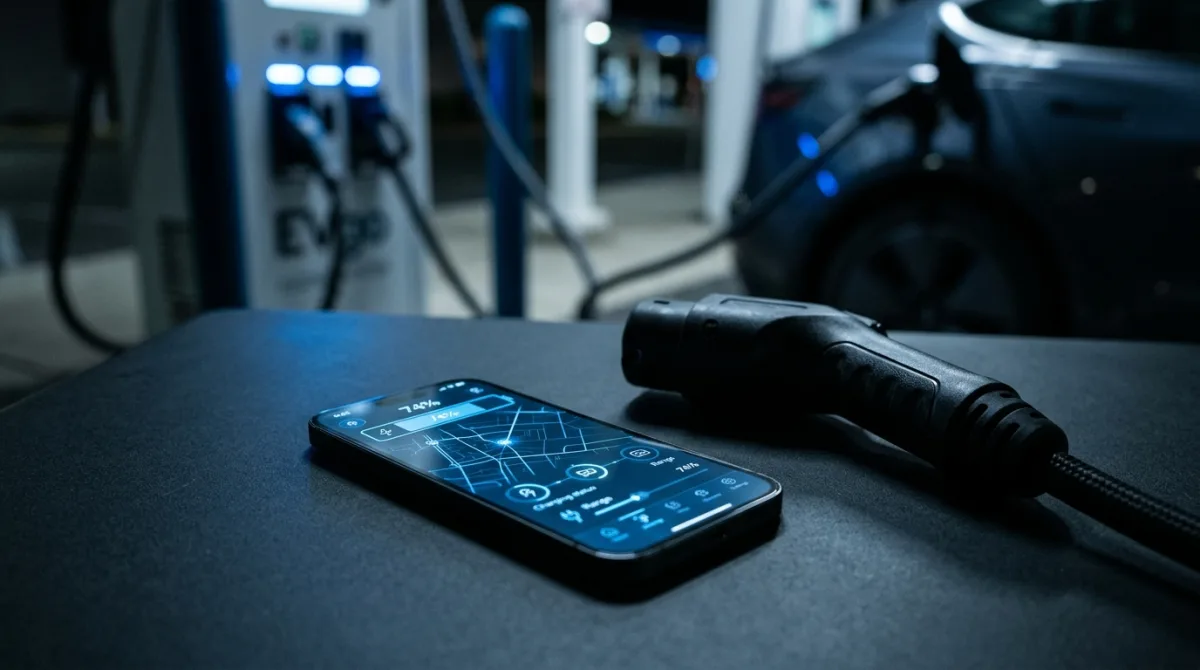
The manufacturer's connected app. Tesla, Hyundai, Kia, Nissan, Volkswagen, Ford and most other makers offer one, and it typically shows charge level, remaining range, charging speed, climate pre-conditioning and sometimes door or tyre status. It is the most reliable remote view because it talks directly to the car's own telematics.
Third-party apps can sometimes pull similar data through APIs or an OBD dongle, but coverage varies wildly by model and region. If remote status matters to you, check what your maker's app supports before buying the car. Our EV model directory lists models by maker, which helps you compare what each brand's connected features actually include.
The ten apps worth considering
1. PlugShare. Community charger map with check-ins and photos. Best for finding chargers and judging whether they work. Weakness: user data can be stale.
2. Your charging network apps. ChargePoint, Electrify America, EVgo, IONITY and regional operators. Essential for starting sessions, live availability and support. Install only the networks on your routes.
3. A Better Route Planner (ABRP). Route planning with charging stops and consumption estimates. Good for longer trips and unfamiliar cars. Estimates need a margin.
4. Your carmaker's app. Remote charge status, pre-conditioning, sometimes scheduling. The reliable remote view. Feature depth varies a lot by brand.
5. Zapmap (UK and parts of Europe). Charger map with filters for connector type and power. Useful if you drive in regions it covers well.
6. ChargePoint Home or your home-charger app. If you have a smart home charger, its app handles scheduling and session logs. Handy for off-peak charging.
7. A home energy or solar app. If you charge from solar or a time-of-use tariff, your inverter or energy app shows when charging is cheapest and cleanest.
8. A mileage and cost tracker. Apps that log trips and charging spend make it easy to see your real cost per mile. Useful if you are weighing an EV against a petrol car, or comparing two models on our head-to-head EV comparisons.
9. An OBD diagnostic app. A Bluetooth OBD-II dongle paired with a generic diagnostic app can read low-voltage fault codes and live data. It is a genuinely useful owner-level tool, but it will not diagnose high-voltage traction-battery faults. For that kind of work, see the EV diagnostic and fuse guides and hand the car to a qualified technician.
10. A tyre-pressure and service reminder app. Boring but real: correct tyre pressure protects range, and a simple reminder app stops you missing service intervals.
Related questions
Can one app replace all the others?
No, and anyone promising that is overselling. Charging networks guard their own session data, so you will usually need the network's app to start a charge even if a map app found the charger. The realistic setup is one map app, two or three network apps, your carmaker's app, and a route planner for trips.
Are third-party EV apps safe to connect to my car?
It depends on what you give them. Apps that ask for your carmaker account login are handling credentials that could unlock remote functions, so read the permissions and prefer apps with a clear privacy policy. If an app wants full account access just to show a charger map, that is a red flag. When in doubt, stick to official apps and apps that use a read-only connection.
What should I do if my car's app stops showing charge status?
Start simple: check the car has signal where it is parked, force-close and reopen the app, and confirm your account is still logged in. If the car itself shows a warning or will not charge, stop treating it as an app problem and work through the EV troubleshooting guides. Anything involving the high-voltage battery, orange cables or a burning smell is a stop-and-call-a-technician situation, not a DIY fix.
Bottom line
Install your carmaker's app, PlugShare, the network apps on your regular routes, and a route planner if you road-trip. That covers almost everything. Add a cost tracker or OBD tool only if you have a reason to. Skip the rest until a real need appears, and verify current features before you pay for any subscription.